
Two VPN subscriptions live on my laptop right now, and in any given month only one of them reliably pulls up the American Netflix catalogue from inside Portugal. That's not a typo; paying for two turned out to be the honest compromise after enough evenings of a Lisbon flat's Wi-Fi handing back a search result with nothing useful in it. Netflix doesn't run a single global library; it runs dozens of regional ones stitched under one login, and the gap between what shows up for an account in Lisbon and what shows up for the same account in, say, Ohio, is wide enough to lose an entire shelf of American studio films in.
The reason sits in licensing, not geography in any physical sense. Film studios sell streaming rights territory by territory, and the American output ends up holding thousands of legacy titles and newly dated releases that European platforms were simply never sold the rights to show here. None of this is a glitch Netflix forgot to patch — it's the deliberate shape of how the entertainment industry still carves up the planet.
Netflix Portugal, to be fair, does regional cinema and Portuguese-language shows better than almost anywhere else I've had an account. The American catalogue is a separate, much larger shelf, though, and your account only ever sees the shelf attached to whichever public IP address your router happens to be handing out at that moment.
The Licensing Wall Behind Every 'Not Available In Your Region' Screen

Our flat in Alfama was the setting for the clearest lesson in this, mostly because the building's old stone walls meant the Wi-Fi barely reached past the kitchen. My partner spent most days on video calls for client work, so bandwidth there functioned like a scarce household resource, something rationed rather than assumed. The early mistake was treating a VPN like a teleportation button: pick a city off a list, tap connect, and expect Netflix to behave as if the laptop had never left that city.
That evening, armed with nothing but a generic server and some misplaced confidence, I pressed play and got nothing back. The loading circle stuck at twenty-four percent while rain hit the tin shutters, and nothing I tried convinced it to move any further than that.
Keeping the Flat's Bandwidth (and a Digital Nomad's Work Calls) Intact
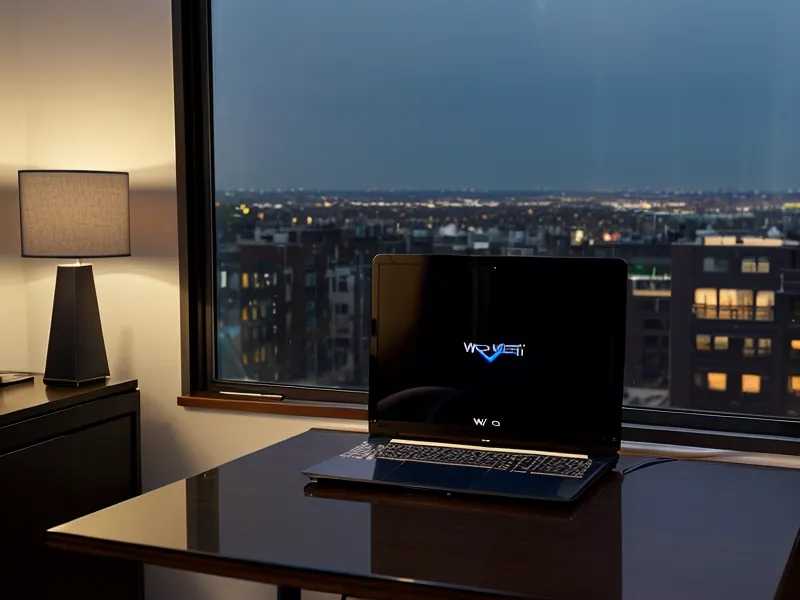
Streaming across the Atlantic was never just about getting past a regional wall; it was also about not wrecking the one connection the whole flat shared. Netflix's own guidance puts the minimum for stable 4K at 15 Mbps, which sounds modest until you remember the signal has to travel from an old building in central Lisbon, through an encrypted tunnel, across an underwater cable, into an American routing hub, and back again before a single frame renders.
At any given time our flat had three screens, two phones, and a work tablet active, so the secondary VPN plan I keep for exactly this reason allows unlimited simultaneous connections rather than capping out at three or five devices. That mattered more than almost anything else, since a connection limit is the kind of thing you only notice the moment it stops you doing what you wanted. My friend Bram, who can apparently diagnose a DNS leak from a screenshot alone, insists most people's streaming complaints are device-limit problems wearing a different disguise.
Before settling into that setup, I tried the hardware route instead. A Fire Stick ordered from the UK Amazon store, pre-loaded with British apps, seemed like the simpler fix: plug it into whatever television happens to be in the room and skip the VPN headache entirely. The hotel TV's HDMI port turned out to be locked down to the building's own in-house system, and the stick never got past a blank screen.
If you've wrestled with these kinds of network headaches in temporary flats, the deeper dive into why certain hardware fights back is in why my hotel TV always thinks I'm in Lisbon, which covers the routing quirks that show up specifically on local accommodation networks. In Alfama, the resistance wasn't the television hardware so much as the sheer congestion of routing heavy video traffic through commercial hubs built for a different kind of use.
How Netflix Actually Catches a VPN
Netflix doesn't usually ban a VPN provider outright. That causes complaints and bad press. Instead, it just quietly throttles or flags traffic from recognisable commercial data-centre ranges, on the theory that no residential home in America has thousands of devices sharing one subnet. Servers built to look residential instead of commercial dodge that pattern entirely, which is the whole reason streaming-optimised nodes exist as their own category, separate from the standard list of city names on the app.
The fix that mattered most in our case wasn't even the server type; it was pairing a streaming-optimised node with the lighter WireGuard protocol instead of the heavier tunnelling methods older apps default to. Less overhead per packet meant the transatlantic hop stopped eating into the speed budget, and the proxy warning screen stopped showing up.
Isolate Your Streaming Profile From Everything Else
One Saturday, mid-grocery-order, I forgot to switch off the American tunnel on my phone before paying for a weekly delivery from a market in Baixa. The bank's app saw what looked like a Lisbon resident paying from a commercial IP address in Ashburn, Virginia, and froze the card on the spot. Untangling that cost the better part of an hour on the phone, explaining to a very patient support agent that the card hadn't been cloned; it had just been routed through Virginia to watch television.
A fellow nomad named Reuben Quartey heard this story secondhand and laughed for a solid minute before admitting he'd nearly done the same thing himself, except on the tablet he uses for everything since he never travels with an actual laptop. The fix we landed on, and the one I'd recommend to anyone in a similar setup, is running two separate profiles: one permanently routed for streaming, and one that never touches anything but your real home network for banking, logins, and anything with a two-factor code attached. I went through the full troubleshooting version of this in how I finally stopped the 'content not available' loop while working across three continents, if the symptom you're chasing is verification loops rather than a frozen card.
The lesson stuck because it was expensive in time rather than money: keep the tunnel that unlocks a different country's catalogue completely separate from the devices and apps that need to believe you're standing exactly where you actually are.
What Actually Works, Night After Night

These evenings, the routine is dull in the best possible way. I hit play, put the coffee down, and the first frame of some old Peaky Blinders rerun is already rolling by the time the cup touches the side table. No spinning circle, no proxy warning, nothing to troubleshoot.
If you're setting this up for yourself, skip the instinct to judge a VPN by the location names on its list. Look for a provider that actually distinguishes streaming-optimised or residential-style servers from its general pool, pair it with a lighter protocol if the app gives you the choice, confirm your connection clears 15 Mbps before you blame the app for buffering, and keep that whole profile off any device that touches your banking. Everything else is details.